

Posted on

How to Learn Digital Marketing With No Experience

Last Updated: November 8, 2026

Quick Summary

Yes, you can learn digital marketing with no experience. Choose one core skill, study it for six to eight weeks, then practise on a real project and record the results as evidence. Most people learn the basics of one skill in six to eight weeks of consistent study.

  • Pick one skill and give it six to eight weeks, not four skills at once.
  • Aim for five focused hours of study per week in the first two weeks.
  • Run a small paid campaign with a budget of £50 to £100 to learn how ad platforms behave.
  • Write a one-page case study for each project covering brief, action, result and lesson.
  • Be sceptical of any course promising guaranteed income or a job on completion.
Ready to learn digital marketing from scratch?CPD-accredited courses that take you from beginner to confident practitioner, at your own pace.

View All Our Courses

Table of Contents

Can You Learn Digital Marketing With No Experience?

Yes, you can learn digital marketing with no experience. Every working digital marketer started without it. The skills are learnable, the tools are free to try, and nobody asks for a degree before you open your first account.

This guide from Internet Business School is built for people starting from zero.

Here is the honest version of what that path looks like.

How to Learn Digital Marketing for Beginners: A Step-by-Step Roadmap

Most beginners fail because they try to learn everything at once. They watch 40 hours of videos, feel informed, and still cannot run a single campaign.

The fix is a narrow roadmap with clear milestones. Pick a skill, practise it on something real, then prove the result with numbers.

Step-by-step roadmap to learn digital marketing displayed on a laptop alongside handwritten goals.

Weeks 1-2: Choose One Skill and Learn the Foundations

Choose one skill and give it six to eight weeks. Not four skills. One.

The four core options are:

  • Content marketing and copywriting: writing that attracts and converts
  • Social media marketing: building an audience on one platform
  • Search engine optimisation (SEO): helping pages rank on Google
  • Paid advertising: running PPC campaigns on Google or Meta

Our advice: pick the one you would happily do for free. That is the skill you will stick with.

In these first two weeks, complete a free introductory course on your chosen skill. Free resources such as Google’s Skillshop and Meta Blueprint offer modules on ads and analytics, and Google Search Central’s documentation is a sensible starting point for SEO. Aim for five focused hours per week.

If you are unsure which practical skills are worth learning first, our guide to practical digital marketing skills for graduates breaks down where each one leads. And if social media is your pick, you can go straight to a Facebook marketing course and skip the guesswork.

Weeks 3-6: Practise on a Real Project

Tutorials teach you the buttons. Real projects teach you the job.

Pick a project this week and treat it as a six-week brief:

  • Start a small blog or niche site and publish ten posts, each targeting a specific search term
  • Run a social account for a local business or charity, free at first, posting three times a week
  • Build an email list of 100 people around one topic and send four emails
  • Run a small paid campaign with a modest budget you can afford to lose, £50 to £100 is enough to learn how ad platforms behave

Set a baseline before you start: current traffic, follower count, or email list size. Then record what changes each week. A common mistake is waiting until you feel “ready”. You will not feel ready. Start with something small and imperfect.

Weeks 7-8: Track Results and Build Evidence

Numbers are your proof. By now you should have six weeks of data. Record what changed and why.

Track things like:

  • Website traffic and where it came from
  • Engagement on your posts
  • Leads or email sign-ups
  • Conversion rate on a landing page
  • Return on investment (ROI) on any spend

Screenshot everything. A simple before-and-after record is worth more in an interview than any certificate. Write a one-page case study for the project: the brief, what you did, the result, and what you would do differently. This becomes the first entry in your portfolio.

Months 3-6: Deepen Your Skill and Add a Second

Once you have one project with measurable results, repeat the cycle with a second project or a second skill. Repeating that cycle also helps you build a portfolio across disciplines, with IT Tutor PRO offering a useful next step for presenting practical work when you have no experience.

Watch out: do not collect courses without finishing projects. A certificate with no evidence of applied work carries little weight with employers or clients.

UK Training and Work Routes to Consider

If you want a recognised route into the industry, the UK offers several options beyond self-study:

  • Apprenticeships: Digital marketing apprenticeships combine paid work with study and are open to career changers as well as school leavers. Search the government’s apprenticeship service for current vacancies.

A realistic timeline for a career changer is six months of part-time study alongside a job, with two completed projects and one recognised short course or apprenticeship application in progress. Expecting to be job-ready in two weeks is not realistic.

How to Get Digital Marketing Experience Without a Job

You do not need employment to get hands-on experience. You need clients, even unpaid ones, and a record of what you did.

Three routes work well:

  1. Freelancing for small local businesses. Offer one service, not everything. “I will run your Instagram for a month” beats “I do digital marketing”.
  2. Volunteering for a charity. Charities rarely have a marketing budget and often welcome help. You get a real brief and a real audience.
  3. Building your own project. A niche site or small e-commerce store teaches you more than any course module.

A structured consultant course can shortcut this. Our social media marketing consultant course is built around practising client-style work, so you build experience while you learn.

Digital Marketing Portfolio Examples That Prove Your Ability

A portfolio is not a list of courses. It is a set of case studies showing what you did, why you did it, and what happened.

Strong sample projects look like this:

Project What you did Evidence to show
Niche blog Published 15 posts, did keyword research Traffic growth screenshot, ranking positions
Local business social Ran 30 days of posts and engagement Follower and engagement change
Email campaign Built a 100-person list, sent 4 emails Open rate, click rate, sign-ups
Small PPC test Ran a campaign on a modest budget Cost per lead, conversion rate

Write each one as: the brief, the action, the result, the lesson. Keep it to one page per project.

For more practical marketing content to inspire and evidence your portfolio work, browse our blog.

How Long Does It Take to Learn Digital Marketing?

Most people can learn the basics of one digital marketing skill in six to eight weeks of consistent study. Reaching a level where you can charge for that skill usually takes three to six months of real practice.

The variables that matter:

  • Time per week. Five focused hours beats twenty distracted ones.
  • Practice over theory. Two projects beat ten courses.
  • Feedback. Someone who reviews your work speeds you up enormously.

Many career changers find a realistic timeline is six months of part-time study alongside a job. That is achievable. Expecting to be job-ready in two weeks is not.

Choosing Courses and Training That Actually Move You Forward

Not all training is equal. Some courses teach you to click buttons. Good ones teach you to think about a market, a customer, and a result. The UK training market is crowded, and beginners are often targeted by providers making promises that no legitimate course can keep.

What to Check Before You Pay

Use these criteria to assess any course, whether free or paid:

  • Accreditation: Is the provider accredited by a recognised body? CPD accreditation means the content has been reviewed against a professional standard, though it is not a guarantee of quality on its own.
  • Real student outcomes: Are there case studies from students showing what they did and what happened, not just star ratings? Ask for specifics.
  • Practical work: Does the course require you to run a campaign, write copy, or analyse data, or does it only cover theory?
  • Clear pricing: Is the total cost stated upfront, including any required software, exam fees, or upsells?
  • Pace and access: Can you study part-time if you have a job or family? How long do you retain access to materials?
  • Currency of content: Does it cover current tools and platform changes, or is it several years out of date?

Realistic Costs and Free Alternatives

You do not need to spend much to learn the basics. Free options include Google Skillshop, Meta Blueprint, Google Analytics Academy, and the free tiers of most email and social media platforms.

Paid courses vary widely in price. Check the total cost of any course upfront, including any required extras, before you commit.

A sensible approach is to start with free resources, complete one project, then pay for a course only when you know which skill you want to deepen. That way you spend money on the right thing.

How to Spot Misleading Promises

Watch out: be sceptical of any course promising guaranteed income, “passive income in 30 days”, or a job offer on completion. No legitimate provider can promise a result, and such claims are a warning sign. Check whether the provider is a member of a recognised trade body, and look for independent reviews rather than testimonials hosted on the provider’s own site.

If you want to see CPD-accredited options built for career changers starting from zero, explore our accredited marketing courses.

Start Your Digital Marketing Training With a CPD-Accredited Course

The gap between wanting to learn digital marketing and actually doing it comes down to structure. Left alone with free videos, most people drift.

At Internet Business School, our courses are CPD accredited and cover everything from picking a business idea to building sales funnels and passive income streams.

The challenge is simple: pick one skill this week and start. Not next month.

Get started with Internet Business School and turn a beginner’s curiosity into a skill you can charge for.


Frequently Asked Questions

Can I learn digital marketing with no experience?

Yes. Digital marketing is one of the few fields where employers and clients care more about what you can demonstrate than where you studied. Start with one core skill such as SEO, content writing or paid advertising, study the fundamentals through a structured course, then apply them to a real project. A small website, a social account or a local business you help for free gives you something concrete to show. Most beginners can build basic competence within three to six months of consistent study and practice.

Do I need a degree to work in digital marketing?

No. There is no legal or industry requirement to hold a degree to work in digital marketing. Employers and clients typically look for evidence of practical skill: campaigns you have run, content you have written, analytics you can interpret and results you can explain. A CPD-accredited course can strengthen your CV because it shows structured training, but your portfolio and measurable outcomes carry more weight than a degree certificate in most hiring decisions.

What skills do beginner digital marketers need most?

Prioritise four areas first: search engine optimisation, content creation and copywriting, paid advertising basics, and analytics. These cover how people find a business, how you communicate with them, how you pay to reach them and how you measure what worked. Add email marketing and social media once the fundamentals are in place. Tool familiarity matters too, so practise with a free analytics account, a keyword research tool and an ad platform sandbox before paying for anything.

How can I get digital marketing experience without a job?

Build your own project. Start a small website or blog about something you know, run a social account, or offer to help a local business with its online presence for free in exchange for a testimonial. Set a measurable goal such as increasing website traffic or growing an email list, then document what you did and the results. Freelance platforms and volunteering with a charity also count as genuine experience you can put on a CV and discuss in interviews.


Posted on

7 Ways to Overcome Imposter Syndrome as an Entrepreneur

Last Updated: November 7, 2026

Quick Summary

To overcome imposter syndrome as an entrepreneur, treat self-doubt as data rather than a feeling to fix: run a ten-minute weekly review, keep a dated decision and evidence log, and reframe each doubt as a fact paired with one concrete action. Imposter syndrome is the persistent belief that your success is luck rather than ability, so confidence follows evidence, and evidence follows action.

  • Imposter feelings survive evidence of competence, while a skills gap is a specific, testable missing capability.
  • Log every client, positive reply, launch and problem solved, then read the log on a bad day.
  • Answer two or three journal prompts rather than all seven, because consistency beats volume.
  • Ask one person for thirty minutes on one decision instead of asking them to mentor you.
  • Seek help from your GP if doubt stops you working for weeks at a time.
Ready to swap self-doubt for real skills?CPD-accredited digital marketing courses that take you from idea to income, step by step.

View All Our Courses

Table of Contents

Why Imposter Syndrome Hits Entrepreneurs Hardest

The reason it bites founders hardest comes down to structure, not personality. You have no manager to tell you that you did well. There is no annual review, no team around you to normalise the doubt, and no fixed benchmark for “good enough”.

Forbes Books Authors on overcoming imposter syndrome notes that studies suggest roughly a quarter to a third of high achievers may feel undeserving of their success. High achievers are exactly the group that starts businesses.

Three pressures make it worse:

  • Visibility. Your name is on the business, so a setback feels personal.
  • Comparison. Social feeds show other founders’ wins and hide their bad months.
  • Identity shift. Moving from employee to owner means no one has defined your role for you.

The Signs You Are Dealing With It

Watch for these patterns. They are behaviours, not feelings, which makes them easier to spot:

  • You rewrite emails and posts long after they are good enough.
  • You credit “timing” or “luck” when a launch works.
  • You delay pitching because you feel underqualified.

If three or more sound familiar, you are dealing with self-doubt rather than a skills problem.

Imposter Syndrome Examples in Business

Real imposter syndrome examples in business tend to look small from the outside. A founder checks the sales dashboard, sees a good month, and feels nothing. Another wins a client and assumes they made a mistake. A third turns down a speaking slot because “someone more qualified” should have it.

Here are the ones we see most often:

  • The discount reflex. Cutting your price before anyone asks, because you doubt the value.
  • The over-delivery loop. Doing unpaid extra work to prove you deserve the fee.
  • The silent launch. Shipping quietly so fewer people can judge it.

None of these are strategy. They are self-protection. And each one costs revenue, time, or both.

Tell the Difference Between Imposter Feelings and a Real Skills Gap

This is the distinction most guides skip. **Imposter feelings are doubt that survives evidence of competence.

Ask yourself a blunt question: can I name the exact thing I cannot do? Vague dread points to imposter syndrome.

Use this quick test:

Signal Imposter Feelings Real Skills Gap
Evidence of past success Exists but you dismiss it Genuinely absent
Specificity Vague, global doubt Named, narrow skill
Response to praise Discomfort or deflection Agreement, then action
What helps Repetition and proof Training and practice
Fix timeline Weeks of small wins A course or mentor

Watch out: treating a genuine skills gap as a mindset problem. If you keep reframing thoughts but never learn the skill, the doubt is telling you something useful.

How to Build Confidence as an Entrepreneur with Repeatable Steps

Knowing how to build confidence as an entrepreneur comes down to systems, not pep talks. Confidence follows evidence, and evidence follows action. The most useful approach is a short weekly routine that turns vague self-doubt into something you can track and test.

Four-step process for entrepreneurs to overcome imposter syndrome while planning daily business tasks.

Run a Ten-Minute Weekly Review

Set aside ten minutes at the same time each week. Answer three questions in writing:

  1. What did I do this week that I was avoiding the week before?
  2. What evidence did I collect that contradicts my worst story about myself?
  3. What is the smallest next action that would test whether my doubt is accurate?

This is not journalling for its own sake. It is a decision log. Over a month you build a record of avoided tasks you completed and fears that did not materialise, which is far more persuasive than trying to remember them on a bad day. That evidence can also help you break scarcity mindset by showing that uncertainty is not proof that resources or opportunities will run out.

Keep a Decision and Evidence Log

A simple document with dated entries works fine. For each entry, note the decision you made, the doubt you felt at the time, and what actually happened. Log every client, every positive reply, every launch, and every problem you solved.

A common pattern is that founders remember the misses and forget the hits. The log corrects that bias with your own data rather than encouragement.

Use a Two-Column Reframing Exercise

Catch the sentence, then rewrite it as a fact. Draw two columns: “What I am telling myself” and “What the evidence says”. “I have no idea what I am doing” becomes “I have not run this campaign before, so I will research it first”.

Watch out: reframing can tip into avoidance if you use it to talk yourself out of learning a skill you genuinely lack. Pair every reframe with one concrete action, such as booking training or asking for feedback.

Track Progress Without Treating Confidence as a KPI

Confidence is a poor target because it fluctuates with sleep, cash flow and the news. Track behaviour instead. Useful indicators include:

  • Decision follow-through: the proportion of decisions you acted on within a set time.
  • Reduced avoidance: tasks you previously postponed that you now start within a day.
  • Realistic self-assessment: whether your predicted outcome and actual outcome are getting closer.

These measures are more honest than a mood check and give you something to improve that is within your control.

If you want a structured way to build these habits, our business accelerator course walks through them step by step.

Imposter Syndrome Journal Prompts to Use This Week

Journalling works because it moves doubt from a feeling into words you can examine. These imposter syndrome journal prompts are designed to be answered in ten minutes, not an hour.

  1. What did I achieve this week that I have not given myself credit for?
  2. Which piece of evidence contradicts the story that I am a fraud?
  3. Whose success am I comparing myself to, and what am I not seeing?
  4. What would I tell a friend who said this about themselves?
  5. What is one small action I can take today that proves my capability?
  6. Where did I learn something from a failure this month?
  7. What would “good enough” look like for this task?

Answer two or three, not all seven. Consistency beats volume.

Mentor Support for Entrepreneurs Who Feel Like Frauds

A mentor shortens the doubt cycle. They have felt it, they survived it, and they can tell you which of your worries are noise. That outside view is hard to generate alone. But it is worth being honest about why some founders find this harder than others, because the standard advice to “find a mentor” assumes a network many people do not have.

The Pressures That Make Doubt Worse

Imposter feelings do not land evenly. Structural and identity-related pressures can amplify them:

  • Under-representation. If you rarely see people like you in your sector, it is easier to read your presence as an exception rather than a norm.
  • Bias. Subtle slights and being repeatedly questioned can erode confidence in a way that looks like self-doubt but has an external cause.
  • Financial insecurity. Running a business on thin reserves makes every setback feel existential, which sharpens self-criticism.

Naming these pressures matters because it separates what is yours to fix from what is not. You cannot reframe your way out of a biased room, but you can choose where to spend your energy and who to ask for support.

What Good Mentor Support Actually Provides

  • A reality check on whether a worry is a real risk.
  • Accountability on the actions you said you would take.
  • Honest conversations about pricing, positioning, and fear.
  • A peer network of people at the same stage.

How to Find Support When You Have No Network

A common pattern is to wait for a formal mentor to appear. In practice, support comes in smaller forms:

  • Peer groups. A handful of founders at a similar stage, meeting monthly, can provide the reality check a single mentor would.
  • Trade bodies and local business networks. Many offer low-cost or free membership and structured introductions.
  • Short, specific asks. Rather than “will you mentor me?”, ask one person for thirty minutes on one decision. It is easier to say yes to and often leads to more.
  • Reciprocity. Offer something back, whether a skill, an introduction or a written summary of what you learned.

When you are ready to work with someone, you can explore our mentoring options and see which format fits your stage.

When to Seek Professional Help for Persistent Self-Doubt

Most entrepreneurial self-doubt eases with action and support. Sometimes it does not, and that is worth taking seriously.

Consider professional help if:

  • The doubt stops you working for weeks at a time.
  • You avoid all visibility, pitching, or selling.
  • Sleep, appetite, or mood are affected for a sustained period.
  • You feel low most days, not just before a launch.

Start with your GP, who can advise you on the support available (the NHS). Therapy and coaching are not the same thing, and a good mentor will say so.

Turn Self-Doubt into Your Next Business Decision

The final move is the most useful: stop treating self-doubt as a feeling to fix and start treating it as data. Doubt usually points at a decision you have been avoiding.

If you suspect your doubt is really indecision, our article on overcoming analysis paralysis in business planning covers how to break the loop. And if fear is the thing holding you back from starting at all, read about the two things you must have to start an online business.

For founders adapting to a changing market, moving with the times as an entrepreneur is worth your time.


Self-doubt does not disappear on its own, and waiting for confidence before you act keeps you stuck.

Frequently Asked Questions

How do entrepreneurs overcome imposter syndrome?

Start by naming the feeling when it appears, then separate it from the facts of your business. Document your wins, however small, and review them before big decisions. Reframe negative self-talk into specific, evidence-based statements. Talk openly with a peer network or mentor rather than sitting with the doubt alone. Take action on one small task rather than waiting to feel confident first. Confidence tends to follow evidence of progress, not the other way round.

How can I tell the difference between imposter syndrome and a genuine skills gap?

Ask yourself whether the doubt is tied to a specific, testable task or a general feeling of being a fraud. A skills gap shows up as a concrete area where you lack knowledge, such as not understanding paid ads or email funnels. Imposter feelings persist even when your results prove otherwise. If the gap is real, close it with training or support. If your results contradict the doubt, you are likely dealing with imposter syndrome rather than a capability issue.

Can talking to a mentor help with imposter syndrome?

Yes. Mentor support for entrepreneurs gives you an outside view of your progress and decisions, which is hard to see when you are inside the business every day. A mentor can point to evidence you have overlooked, challenge distorted thinking and share their own early-stage doubts. Choose someone who has built something themselves and will be honest rather than just reassuring. Regular, structured conversations work better than occasional pep talks.

When should I seek professional support for persistent self-doubt?

Consider professional support if self-doubt is affecting your sleep, mood or ability to make decisions over several weeks, or if it is stopping you from launching, pitching or hiring. Your GP can advise you on the support available. If you are also experiencing low mood, anxiety or loss of interest in things you normally enjoy, speak to a GP early. Support works best before doubt becomes entrenched.

Posted on

Is Shopify Worth It for New Online Businesses?

Table of Contents

Last Updated: November 4, 2026

Shopify is one of the most widely used e-commerce platforms, and for many new founders it is the first option they look at. Whether it is worth the money depends on what you plan to sell, how much technical work you are willing to do, and how quickly you need a store that takes payments. At Internet Business School, we look at the platform from the position of someone starting with a limited budget and no prior online sales. The short answer is that it suits most product-based beginners, but the real cost is often higher than the advertised monthly fee.

What Shopify Actually Costs in the UK

The headline price is only the start. Plans are billed monthly in GBP, and the price you see before tax is not always what you pay once you add apps, payment fees and a domain name. Shopify’s own pricing page is the place to confirm current figures, as plan prices and features change over time: Shopify official pricing page.

Pricing depends on the plan you choose, how many staff accounts you need and which payment options you accept. For current amounts, check Shopify directly rather than relying on figures from older articles. To see the platform in action and how it can support a passive income model, watch our Shopify webinar.

Choosing Between the Basic, Grow and Advanced Plans

Most new sellers start on the entry-level plan because it covers the essentials: a hosted store, the checkout and basic reporting. The higher tiers add features such as more staff accounts, advanced reporting and lower transaction fees on card payments. A common mistake is paying for a higher tier before the store is generating meaningful sales. Start on the lowest plan that meets your needs, then move up when the extra features clearly pay for themselves.

The Hidden Costs of Shopify Beyond the Monthly Fee

The subscription is rarely the largest expense, and the gap between the advertised plan price and what a new seller actually pays is where most budget plans fall apart. Rather than listing cost categories, it helps to model them the way they hit your bank account: some are fixed each month, some scale with sales, and some are one-off. Treat them separately, because a cost that scales with revenue behaves very differently from one that does not.

Fixed monthly costs. The plan fee is the obvious one, but it is rarely alone. A professional email address, an email marketing app once you outgrow the free tier, a reviews app and a subscription-billing app are all commonly needed by month three. A store doing meaningful volume often needs several paid apps, and each one adds to the monthly bill. Add these to the plan fee before you compare platforms.

Costs that scale with sales. Payment processing is the cost new sellers most often underestimate. Shopify Payments charges a percentage plus a fixed per-transaction amount on every order, and if you use a third-party gateway instead, Shopify adds its own transaction fee on top. As order volumes grow, the balance between per-transaction charges and broader platform costs becomes more important, making Shopify Plus for B2B a useful comparison when assessing how payment economics may change at scale.

One-off costs. A premium theme is a single purchase, but budget for it alongside the domain name and any initial app setup fees. These are easy to forget because they do not appear on the monthly bill.

A worked first-year view. Take the entry plan fee, multiply by twelve, add a realistic app stack, add a premium theme and domain, then add payment fees on your projected sales. The result is usually well above the entry plan price alone, and for a very small startup it can be considerably higher than the headline figure. That is not an argument against the platform; it is an argument for modelling the total before you commit.

Watch out: sellers who budget only the plan fee often discover in month two that the apps they need to match a competitor’s store push their monthly outgoings past what their early sales can support.

Break-even, not just cost. The useful number is not the total cost but the sales volume at which the platform pays for itself. Divide your total monthly platform cost by your gross margin per order to get the number of orders you need each month just to cover the platform. If that number is higher than your realistic early sales, the plan tier is wrong for you, not the platform. This is the calculation most comparisons skip, and it is the one that decides whether the platform is worth it for a new business.

Shopify vs WooCommerce for Beginners

WooCommerce is a free plugin for WordPress, so there is no platform subscription. You pay separately for hosting, a domain, security and any premium extensions you need. That lower entry cost comes with more responsibility: you handle updates, backups and security yourself.

Shopify handles hosting, security and updates for you, which suits beginners without technical support. WooCommerce gives you more control over your store and its design, which suits someone who already knows WordPress. If you have never built a website before, Shopify is usually the simpler starting point. If you already run a WordPress site and want to add a shop to it, WooCommerce is the more natural fit.

Total Cost of Ownership and Time to First Sale

Most comparisons stop at the monthly price. A more useful question for a new business is what the platform costs over your first year, how long it takes to reach your first sale, and how hard it is to leave if it does not work out. Those three questions decide whether the platform is worth it far more than the plan tier does.

A realistic timeline to first sale. A common pattern for a first-time seller is roughly one to two weeks to get a store live with products, shipping rules and tax settings configured, then a further period of weeks to months before consistent sales arrive, because the platform does not bring traffic by itself. The setup is the fast part; the traffic is the slow part. Budget for advertising or content marketing from month one, and treat the first sale as a milestone you plan for rather than one you wait for.

VIEW ALL OUR COURSES →

The first-year total. Build the number in three layers: fixed monthly costs (plan plus app stack), one-off costs (theme, domain, any setup fees), and variable costs (payment processing on projected sales). Compare that total against your projected gross profit, not revenue, because the platform is paid out of margin. A store with a thin margin needs far more volume to justify the same platform cost than one with a healthy margin.

Migration difficulty: the question competitors avoid. Leaving a hosted platform is not like switching a plugin. Your product data, customer records and order history can be exported, but your theme, your app configurations and any customisations generally cannot be moved intact, and redirects need to be mapped carefully to protect search rankings. Migrating a store is usually a larger job than switching a plugin, and the cost of leaving tends to rise as your catalogue and customer base grow. For a risk-averse founder, that is a real consideration: the platform is easy to join and considerably harder to leave. Factor that lock-in into your decision rather than discovering it later.

Putting it together. The platform is worth it for a new business when the first-year total is comfortably covered by projected gross profit, when the timeline to first sale fits your cash runway, and when you are comfortable with the switching cost. If any of those three fails, a lower-cost or more portable option deserves a serious look before you commit.

Watch out: founders who compare only monthly plan prices across platforms routinely pick the cheaper-looking option and then discover the app stack and payment fees make it the more expensive one over twelve months.

The table below sets out the three checks the article recommends before committing, each with the question it answers.

Check What it answers Key point
First-year total Whether costs are covered Compare against projected gross profit, not revenue
Time to first sale Whether timing fits your cash runway Setup is fast; traffic is slow
Migration difficulty How hard leaving would be Themes and app configurations generally cannot be moved intact

Ease of Use, Themes and Integrations for New Sellers

Shopify’s drag-and-drop theme editor lets you change layouts without writing code, which helps first-time sellers. Adding a product, setting a price and publishing a page can be done in a single afternoon. The app store offers integrations for email, accounting and shipping, although each one adds to your monthly costs.

Step-by-step process for a new seller setting up a product page on Shopify worth it for ease of use

Expect a short learning curve around product variants, shipping zones and tax. These are manageable, but they need attention before launch rather than after.

Pros and Cons: Who Shopify Suits and Who Should Look Elsewhere

What works well:

  • Quick to launch, with hosting and security handled for you
  • Scales from a small catalogue to a large operation
  • Large app ecosystem and integrations
  • Straightforward for beginners who want a store without building a website from scratch

What does not:

  • Monthly fees and app costs can add up for a very small startup
  • Transaction fees apply if you do not use Shopify Payments
  • Customisation beyond the theme options can require development work

Shopify suits product-based businesses that want a dependable store without heavy technical work. If you sell digital products, run a service business or want full control over every part of the site, another platform may fit better. If you want to see how the platform fits into a wider online business plan, Internet Business School teaches the digital marketing side of running an online business, including lead generation and sales funnels, through its CPD-accredited courses. Our Shopify webinar explains how the platform can support a passive income model in practice.

Booking a Plan Review With Internet Business School

Choosing a platform is easier when you have a clear plan for the business behind it. If you are unsure whether Shopify fits your model, a review of your plan can help you compare costs and identify where the money will go. Set up your online store with Shopify to see the setup process first-hand, or read how to create a membership business model if a subscription product is part of your plan. For a wider view of getting started, see how to start an online business in 2026: 7 steps and our guide to starting an e-commerce business on a budget.

Frequently Asked Questions

How much does Shopify cost per month in the UK?

Shopify’s plans are priced in pounds sterling and billed monthly. Higher tiers cost more and include additional staff accounts, reporting and lower transaction fees. Prices change over time and can differ by billing period, so check Shopify’s UK pricing page for current figures before you commit. Remember that the subscription is only the starting point, since apps, themes, payment fees and domain costs are usually charged separately.

Are there hidden costs when using Shopify for a new business?

Yes. Most new stores pay for more than the monthly plan. Common extras include transaction fees if you do not use Shopify Payments, paid themes, premium apps for reviews or email marketing, a custom domain name, and advertising spend. Each of these is optional on its own, but a store that relies on several of them can cost noticeably more than the headline price suggests. Budget for these costs before launch rather than treating the subscription as the full cost.

Is Shopify better than WooCommerce for beginners?

For most complete beginners, Shopify is easier to start with because hosting, security and updates are handled for you. WooCommerce is free to install but requires a WordPress site, separate hosting and ongoing maintenance, which suits people who are comfortable with technical tasks. WooCommerce gives more control over your store’s design and data, so the right choice depends on whether you value convenience or ownership more.

Can I build a professional store on Shopify without coding skills?

Yes. Shopify uses a visual editor and a library of templates, so you can build a functional store by adding products, choosing a theme and setting up payments without writing code. Customising beyond the template’s options may require a developer or a paid app. Most new sellers launch a basic store within a few days, though the time it takes to reach your first sale depends far more on marketing than on the build itself.

Posted on

How Much Should You Charge Local Clients for Digital Marketing?

Quick Summary

Local digital marketing pricing works best when you build a costed method rather than copying a figure. Work out your delivery hours, overheads and target margin, then add a local-market adjustment, and sell the work as a fixed setup fee plus a monthly retainer.

  • Track actual hours for two weeks and add 20 to 30 per cent for non-billable admin.
  • Add a 10 to 20 per cent contingency to fixed-fee projects to cover unknown work.
  • Use two pricing models, usually a fixed-fee setup plus a monthly retainer.
  • Price each package separately, since delivery hours and risk differ widely.
  • Keep management fees separate from ad spend on every invoice.

Table of Contents

Last Updated: November 2, 2026

Most freelancers and small agencies underprice their local clients. They copy a figure they heard somewhere, feel uneasy about asking for it, and then wonder why the work never quite pays. Getting local digital marketing pricing right is less about finding the “right” number and more about building a method you can defend.

The approach below follows a practical, costed logic that you can apply to your own local clients. This guide walks through the pricing models, a simple costing process, package examples and the scope controls that stop a profitable job turning into an unpaid one. Refining these foundational calculations requires a nuanced understanding of how social media pricing models adapt to shifting market demands and platform complexities.

Why Local Clients Need a Different Pricing Approach

Local clients rarely have the budgets of national brands, but they still expect results. A plumber or independent café owner wants more calls and more bookings, not a long report on impressions.

That gap changes how you price. Expect tighter budgets, shorter contracts and more hands-on handholding. Build those realities into your local digital marketing pricing from the start, so the numbers reflect how these clients actually buy and work.

Digital Marketing Pricing Models Compared

Most digital marketing work is sold in one of five ways. Each suits a different kind of client and a different kind of risk, and most local providers end up using two or three of them side by side rather than picking one for everything.

Model Best for Main risk
Hourly Audits, ad-hoc fixes, consultancy Caps your earnings and punishes efficiency
Fixed-fee project Defined jobs such as a website audit or Google Business Profile setup Scope creep if the brief is vague
Monthly retainer Ongoing local SEO, social posting, review management Unused hours and client churn
Value-based Campaigns with measurable enquiries or bookings Needs clean tracking and a client willing to share revenue data
Credit-based Clients with irregular or seasonal needs Admin overhead tracking credits

Hourly Rates and Billable Hours

An hourly rate is the easiest starting point, but it is the model most likely to underpay you. Work out how many hours a task really takes, then multiply by your rate. Only billable hours, meaning time spent on client work, should go on the invoice.

If you want to take home a set amount each month before tax, and you can only bill part of your working week, your rate needs to cover far more than your time, it has to absorb software, insurance, pension contributions and quiet months.

Hourly billing also creates a perverse incentive: the faster you get at local SEO, the less you earn. Use it for audits, consultancy and one-off fixes, not for the recurring work that pays your bills.

Fixed-Fee and Project-Based Pricing

Fixed fees work when the job has a clear start and end: a technical SEO audit, a tracking and analytics setup, a Google Business Profile overhaul or a landing page build. Price the project by estimating the hours, adding your margin and then adding a contingency of 10 to 20 per cent for the unknown. The contingency is not padding, it is what stops a three-day job becoming a five-day job you absorb.

Write the deliverables into the proposal as a numbered list. If the client later asks for “just one more page”, you have a document that shows what was included and what counts as a change request.

Monthly Retainers and Value-Based Pricing

Retainers suit ongoing work such as social posting, local SEO upkeep and review management. Clients like a fixed monthly cost, and you get steady cash flow. The trap is selling a retainer with unlimited scope. Set a monthly hours allowance or a defined deliverable list, and state what happens when the allowance is used up.

Value-based pricing works best when you can measure results. If a client’s average job is worth £300 and you bring in ten extra jobs a month, that is £3,000 in new revenue. A fee of £500 a month can then look like a bargain, which makes it easier to sell.

Credit-Based Pricing

Credit-based pricing sells a block of hours or tasks that the client draws down over an agreed period. It suits local clients with seasonal demand, such as a hospitality business that needs more work before summer and less in January. The client buys, say, 20 credits at the start of the year and spends them when needed. You get cash upfront and the client gets flexibility. The admin cost is real, though: you need a simple ledger showing credits used and remaining, or disputes will eat your margin.

Typical Price Ranges for Local Clients

Broad agency averages are a poor guide for local work. Pricing depends on scope, channels, and how much management is involved, so build your own figures from your costs, desired margin and the hours the work needs.

Pro Tip
Pick two models, not five. Most local providers do best with a fixed-fee setup project plus a monthly retainer, using hourly rates only for out-of-scope work.

Building Digital Marketing Packages for Small Businesses

Packages make pricing easier to explain. Instead of quoting line items, offer three clear tiers that differ in scope.

A simple structure looks like this:

  • Starter: Google Business Profile management and monthly posts
  • Growth: Starter plus local SEO and review requests
  • Full: Growth plus paid search management and monthly reporting

Show the middle option as the best value. Most clients will choose it, and it protects you from the lowest-budget enquiries that take the most time.

Step 1: Calculate Your Costs and Target Margin

Before you set any price, work out what it costs you to deliver the service. Include software subscriptions, your time, insurance and any tools you pay for each month.

VIEW ALL OUR COURSES →

Then add a target profit margin. You should set your own target margin based on your costs and goals.

  • List all monthly overheads
  • Divide them by the number of clients you can realistically serve
  • Add your target margin on top

Step 2: Use a Digital Marketing Cost Calculator

A simple spreadsheet is enough, but the formula matters more than the tool. The aim is a quote you can defend line by line when a client asks why it costs what it costs.

The formula is:

Client price = (Delivery hours × Hourly cost) + Share of overheads + Target margin + Local-market adjustment

Build one row per service and one column per input. Here is a worked example for a local SEO retainer:

Input Example figure
Delivery hours per month 8
Hourly cost (your time) £30
Direct cost of delivery £240
Monthly overheads £600
Clients served per month 10
Overhead share per client £60
Subtotal before margin £300
Target margin (35%) £105
Local-market adjustment +10%
Monthly fee £446

The local-market adjustment is an important part of any calculator. Competition, service area, number of locations and local search demand all change the work involved. A single-site café in a quiet town needs less competitive analysis than a three-branch estate agent in a crowded city. You may choose to add a percentage for multi-location clients, highly competitive niches or service areas that need location pages. Build the adjustment into the calculator as a percentage so it is visible, not buried in a rounded-up number.

Watch out for three failure modes:

  • Flattering hours. If you do not record actual hours, your calculator will flatter you. Compare estimates to real time every month and correct the figures.
  • Forgotten overheads. Software subscriptions, insurance, accountancy, payment fees and hardware all belong in the overhead line. Divide them by the number of clients you can realistically serve, not the number you hope to serve.
  • Margin confused with markup. A 35 per cent margin is not the same as adding 35 per cent to your cost. Margin is a share of the final price; markup is added to cost. Decide which one you are using and label the column clearly.
Watch Out
Do not use the calculator to produce a single blended rate. Run it separately for each package, because a social posting retainer and a paid search management retainer have very different delivery hours and risk profiles.

Once the calculator is built, test it against two or three real enquiries. If the quoted price feels uncomfortable, the problem is usually the input figures, not the formula. Adjust the hours, the overhead share or the margin, and keep the workings so you can show a client how the number was reached.

Step 3: Separate Management Fees From Ad Spend and Set Scope Limits

Your management fee is what you earn for your work. Ad spend is the money the client pays to the platform. Keep these separate on every invoice.

Mixing the two makes it look as though you are charging a huge fee on top of a small budget, and it confuses clients when they compare costs. Show the ad budget as a pass-through cost, then your fee on top.

Scope limits protect your time. Specify the number of revisions included, the channels covered and how change requests are charged. Anything outside the agreed scope should carry an additional fee.

Putting It Into a Proposal Your Client Will Sign

A good proposal is short and specific. List the deliverables, the monthly fee, what is excluded and the start date.

Small business owner and freelancer reviewing a local digital marketing pricing proposal at a café table.

Include a one-off setup fee for onboarding work such as profile audits or tracking installation. Many freelancers forget this and then absorb the cost of the first month’s setup.

Use the terms in plain English. Clients sign faster when they understand what happens next.

Your Next Step: Set Your Local Client Price List

Start by writing down your costs and your target margin. Then build three packages with clear scope and separate ad spend.

Test your price list with two or three real enquiries before you publish it. Adjust according to the responses you receive. For current details, visit the Internet Business School website or request a quote directly.

Frequently Asked Questions

How much do digital marketing services cost for local businesses?

Pricing depends on scope, channels, and how much management is involved, so there is no single going rate that applies to every local client. Costs vary widely between freelancers and agencies, and the most reliable starting point is to build your own price from your costs, desired margin and the hours the work needs. For current pricing for the services Internet Business School covers, visit the Internet Business School website or request a quote. Always state your fees in GBP and make clear what is included.

Should digital marketers charge hourly or use a monthly retainer?

Hourly rates suit one-off or unpredictable work, because you are paid for time actually spent. Monthly retainers suit ongoing work such as local SEO, social media and paid campaign management, because they give the client predictable costs and give you steady income. Many freelancers combine both, using a retainer for core management and hourly billing for changes outside the agreed scope.

How do you create a digital marketing package for a small business?

Start with three tiers, such as a foundation package for a Google Business Profile and basic local SEO, a growth package adding content and paid advertising, and a full-service package for multi-channel management. List the deliverables for each tier, state a fixed monthly fee in GBP, and note what is excluded, such as ad spend, new website builds or extra revisions. Clear tiers make it easier for a local owner to choose and compare options.

How do you explain your marketing fees to a client?

Separate your management fee from any advertising budget so the client can see what they pay you and what goes to platforms like Google or Meta. Explain the fee in terms of deliverables and outcomes, such as monthly reporting, campaign optimisation and lead tracking, rather than hours alone. Put the breakdown in a written proposal so there are no surprises about setup fees, one-off work or revision limits.

Posted on

How to Create a Membership Business Model

Last Updated: 1 November 2026

Quick Summary

A membership business model is one where customers pay a recurring fee for ongoing access to value, not a single purchase. Validate demand first by asking real people for money or firm commitments, then choose a model (community, content, product or service) that you can sustain for years, and check that your payback period beats average member lifetime.

  • Ask for a deposit, pre-order or card-backed waitlist, because a survey saying ‘I’d probably pay’ is not evidence.
  • Test your offer with 20-30 people who match your target audience before building the full membership.
  • Choose between community, content, product and service models by comparing delivery effort, gross margin and scalability.
  • Divide acquisition cost by gross margin to find your payback period, and check it is shorter than average member lifetime.
  • Offer annual billing alongside monthly billing, priced at ten months’ worth of the monthly fee.

Table of Contents

Validating Demand Before You Build Anything

Many membership business model ventures fail before the first payment, not after. The reason is simple: the founder builds a full product, then discovers nobody wants to pay for it monthly. Testing demand first is far cheaper than building blind.

Start by asking a single question: would someone pay a recurring fee to get ongoing access to what you know or can offer? If you find yourself stuck between testing and planning, our piece on overcoming analysis paralysis in business planning can help you move forward.

Watch out: a survey saying “I’d probably pay” is not evidence. Ask for money or a firm commitment instead.

A Step-by-Step Validation Experiment

Run a simple test before you build the full membership:

  1. Write a one-page offer describing who the membership is for, what members get, and the monthly price.
  2. Share it with 20-30 people who match your target audience.
  3. Ask for a deposit, a pre-order, or a sign-up to a waitlist that requires a card.
  4. Track how many say yes, and why the others decline.
  5. Hold short calls with the people who said yes to learn what they expect.

If nobody converts, change the offer before you build anything.

Choosing Your Membership Model: Community, Content, Product or Service

A membership business model is one where customers pay a recurring fee for ongoing access. The fee buys continued value, not a single purchase. Four common models exist, and each suits a different kind of business, but the choice you make shapes your margins, your workload, and what members expect from you month after month. You can explore ready-made membership site options to see how each format is set up in practice.

  • Community: Members pay to connect with peers and take part in discussions. The value comes from other members as much as from you.
  • Content: Members pay for regular lessons, guides, or resources. The value is the steady drip of new material.
  • Product: Members receive a physical or digital product on a schedule. The value is the tangible delivery.

A Decision Framework for Choosing Your Model

Rather than picking the model that sounds most appealing, compare them on four practical dimensions: delivery effort, gross margin, scalability, and member expectations.

Model Delivery effort Gross margin Scalability Member expectation
Community Moderate, facilitation and moderation High once established High, but quality depends on member mix Belonging, peer access, shared progress
Content High, you must keep producing High (digital delivery is cheap) High A steady cadence of new material
Product High, fulfilment, stock, shipping Lower (physical costs bite) Moderate, logistics constrain growth Reliable delivery on schedule
Service Very high, your time is the product Lower (time does not scale) Low unless you hire or group delivery Personal access and responsiveness

Use the framework like this:

  1. Start with delivery effort. If you cannot commit to producing new content every week, a content-led membership will fail. If you cannot handle fulfilment, avoid a product model.
  2. Check the margin. Digital content and community models carry the highest gross margins because the cost of serving one more member is close to zero. Product and service models carry lower margins because each member consumes real cost.
  3. Test scalability. A service model caps your income at your available hours unless you move to group coaching or hire practitioners. Community and content models scale without a proportional rise in cost.
  4. Match member expectations. Members who join for peer connection will leave if the community is quiet. Members who join for content will leave if the cadence slips. Be honest about what you can sustain.

A common pattern is to combine models: a content-led membership with a community layer, or a service-led membership with a library of recorded resources. Operational complexity often dictates the sustainability of recurring delivery models, a principle that remains equally relevant when evaluating the logistical requirements of a niche physical goods subscription.

Membership Versus Subscription Models

Membership models also differ from subscription models. A subscription usually sells access to a tool or product, a software licence, a box of coffee, a streaming service. A membership usually adds a sense of belonging and shared progress on top of that access. The distinction matters because it changes what members judge you on: a subscription is judged on the reliability of the thing, while a membership is judged on the relationship and the ongoing value you create.

Pro Tip
If you are unsure which model fits, run your validation experiment with two versions of the one-page offer, one describing a content-led membership and one describing a community-led membership, and see which draws more firm commitments.

Choose the model that matches how you work and what your audience values most. A membership is a relationship, so pick the format you can keep delivering for years, not the one that looks best on a launch day.

Planning Membership Tiers and Member Benefits

Most successful memberships offer two or three tiers. Tiers let people pick a level that fits their budget and needs.

Small business owner sketching membership business model tiers on a notepad at a tidy home office desk

Give each tier a clear purpose:

  • Entry tier: Core content or access, at the lowest monthly price.
  • Standard tier: Everything in entry, plus regular live contact or community access.
  • Premium tier: Everything above, plus personal support or priority access.

Keep benefits specific. “Access to resources” is vague. “A new 30-minute lesson every week, plus a monthly live Q&A” tells members what they are paying for.

Watch out: adding too many tiers confuses buyers and creates extra work for you. Start with two.

Setting Membership Pricing Models That Work

Pricing should reflect the value members receive and the cost of delivering it. Common options include monthly billing, annual billing, and a discount for paying upfront.

Annual billing can improve cash flow, because members who pay once are less likely to cancel in a given month.

Your prices must be transparent. State the full cost, including any taxes, before the customer commits.

Unit Economics: Acquisition Cost, Margin, Payback and Break-Even

Before you set a price, work through the numbers. This is the step most guides skip, and it is the one that tells you whether your membership can survive.

VIEW ALL OUR COURSES →

  • Acquisition cost (AC): What you spend, on average, to win one new member. Add up your advertising spend, affiliate commissions, and the value of your time on outreach, then divide by the number of members won in the same period.
  • Gross margin (GM): Monthly fee minus the direct cost of serving that member, payment processing fees, platform costs per member, fulfilment, and any consumable materials.
  • Payback period: How many months of gross margin it takes to recover acquisition cost. Divide AC by GM.

A Worked Example

Suppose your monthly fee is £30. Payment processing and platform costs come to £3 per member per month, so your gross margin is £27.

Now suppose your fixed monthly costs, software, insurance, and a part-time assistant, are £2,700. Your break-even member count is £2,700 divided by £27, which is 100 members.

If your payback period is longer than the average time a member stays, you lose money on every new member.

Using the Model to Test Viability Before You Launch

Run the numbers on a spreadsheet before you build anything:

  1. Enter your intended monthly fee and your best estimate of direct serving costs.
  2. Estimate acquisition cost from your validation experiment, if you spent £200 on outreach to win five firm commitments, your AC is £40.
  3. Estimate average member lifetime from your retention assumptions, or use a conservative figure such as six months if you have no data.
  4. Calculate payback period and break-even count, then ask whether your validation group is large enough to reach break-even within a realistic timeframe.

If the answer is no, you have three levers: raise the price, lower acquisition cost by improving conversion or using cheaper channels, or improve retention so members stay longer. Adjusting any one of them changes the whole model, so test combinations rather than fixing one variable.

Watch Out
Do not set a price by copying a competitor. Their cost base, acquisition channels, and retention rates are not yours. A price that works for them may leave you below break-even.
Key Takeaway
A membership is viable when the payback period is comfortably shorter than the average member lifetime and the break-even member count is within reach of your launch audience. Model both before you commit to a platform or a launch date.

Retaining Members: Onboarding, Renewal and Win-Back

Retention decides whether a membership survives. The member journey has three stages.

Onboarding: The first week shapes how long someone stays.

Renewal: Remind members before their renewal date. Show them what they got in the past month or quarter.

Win-back: When someone cancels, contact them within a few days.

Track churn rate, the share of members who cancel each month.

Choosing a Membership Website Platform and Handling Recurring Billing

Your platform must handle sign-ups, access control, and recurring payments.

Recurring billing brings legal duties. Consumer rules require clarity about price, renewal terms and cancellation, so check the current requirements before you launch.

Accessibility matters too. Choose a platform that works with screen readers, and provide captions on video content so every member can take part.

Watch out: consumer rules on subscriptions are strict. Check the current requirements with the relevant official sources before you launch.

Launching Your First Membership and Booking Your Validation Call

Launch to your validation group first. Their feedback will shape the final offer, and their early payments prove the model works.

Once you have a steady group of members, keep refining. If you are ready to build your first membership with hands-on support, Membership Site In A Day walks you through the set-up step by step.

If you want hands-on help, explore our courses. For a practical starting point, read our guide to identifying your target audience before you launch.

To turn your validation into a paid offer, visit the Internet Business School website to view all our courses and find the right starting point for your membership. Our online coaching business course shows you how to structure and sell recurring access.

Frequently Asked Questions

What is a membership business model?

A membership business model earns recurring revenue by charging members a fee, usually monthly or annually, in exchange for ongoing access to content, a community, products or services. Unlike a one-off sale, its income depends on keeping members engaged and renewing. Many UK creators and small firms use it because predictable payments make planning and cash flow easier. The model works best when the value members receive keeps growing over time, so they have a reason to stay beyond the first payment.

How do I know if a membership model will be profitable?

Work through unit economics before you build. Estimate what it costs to acquire one member, your gross margin per member after platform and delivery costs, and how many months it takes for a member’s payments to cover that acquisition cost. Then calculate your break-even member count against your fixed costs. If the payback period is long or the break-even number is unrealistic for your audience size, adjust the price, the tiers or the acquisition channel before launching.

How should I price a membership?

Start from the value members get and what similar offers charge, not from your costs alone. Many businesses offer two or three tiers, with monthly and annual billing, and annual plans usually carry a discount in exchange for commitment. Test a price with a small group of prospective members before committing. Keep your pricing transparent, state the recurring amount and billing frequency clearly at checkout, and make cancellation straightforward to meet your obligations under UK consumer law.

How do I attract and retain members?

Attract members by validating demand with a small early group and sharing proof of the outcomes they achieved. Retain them by delivering a strong first week through a clear onboarding sequence, then keeping a steady rhythm of new content, live sessions or community activity. Track churn and renewal rates monthly, contact members who go quiet, and offer a win-back message to those who cancel. Regular feedback surveys help you spot problems before members leave.

Posted on

Dropshipping vs Affiliate Marketing for UK Beginners 2026

Quick Summary

Dropshipping vs affiliate: dropshipping means selling physical products you never stock, earning your own margin but carrying the advertising and customer risk, while affiliate marketing means earning commission on other businesses’ sales with a lighter, lower-cost start that usually takes months to build.

  • Affiliate marketing needs little upfront money, mainly your time and a domain and hosting.
  • Dropshipping needs a test advertising budget, often £150 to £500 for the first month.
  • Dropshipping margins depend on advertising cost per sale, not the headline supplier price.
  • Affiliate commissions are capped by each merchant’s terms, which can change at short notice.
  • Pick dropshipping for product control and a funded test budget; pick affiliate marketing for low cash risk.

Table of Contents

Last Updated: 30 October 2026

Dropshipping and affiliate marketing both promise a route into online business without the cost of building a traditional company, but they ask for very different things from a beginner. New entrepreneurs often choose between the two based on headlines rather than on how each model actually works day to day. This guide compares dropshipping vs affiliate marketing for beginners, covering the workload, the money, and the risks, so you can decide which fits your skills and budget.

Dropshipping vs Affiliate Marketing: What Each Model Actually Involves

Affiliate marketing is promoting other businesses’ products and earning a commission on the sales you refer. You can see how our CPA and affiliate offering works in practice on that page. You do not own the product, hold stock, or handle delivery. Your job is to attract the right audience and send them to a merchant’s offer.

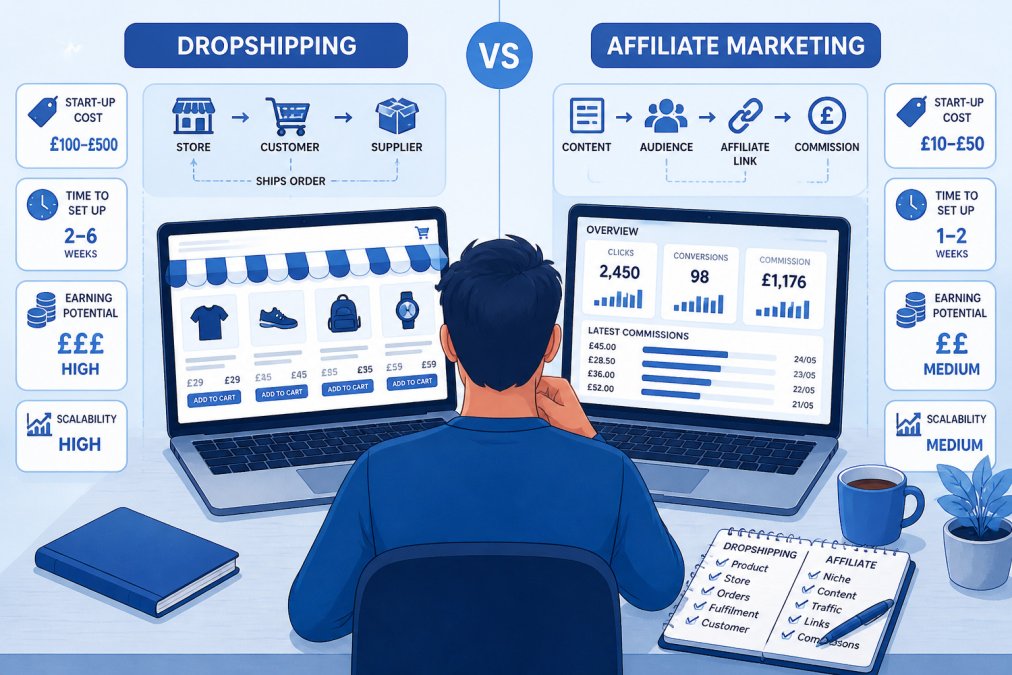
Entrepreneur at a desk comparing dropshipping vs affiliate business models on dual laptop screens.

Dropshipping is selling physical products you do not stock yourself. A customer buys from your store, and a supplier ships the item directly to them. You control pricing and the customer relationship, but you also carry the responsibility for the sale.

![A UK entrepreneur at a home desk weighing two laptop screens side by side, one showing a storefront and one showing a referral dashboard, with a notepad and tea nearby | section:Dropshipping vs Affiliate Marketing: What Each Model Actually Involves]

How affiliate marketing earns commission

Affiliate income depends on a merchant paying you for each sale, lead or action your content generates. The merchant sets the commission rate, so your earnings are capped by their terms. Printful’s comparison describes affiliate marketing as promoting other businesses to earn commission on new sales, which is a useful starting point for understanding the model Printful’s comparison of affiliate marketing and dropshipping.

The upside is a lighter operational load. The downside is that you have less control over the offer itself.

How dropshipping earns product margin

Dropshipping earns the difference between your selling price and what you pay the supplier, plus shipping and fees. Because you set the price, your margin can be higher per sale, but you also absorb the cost of advertising, returns handling and customer support. Printful notes that sellers set their own prices in dropshipping rather than relying on fixed affiliate commission rates Printful’s breakdown of dropshipping pricing.

Dropshipping Startup Costs and a Realistic Beginner Budget

Dropshipping needs more upfront money than affiliate marketing because you must fund a store, product imagery, advertising and a buffer for early losses. Affiliate marketing can be started for close to the cost of a domain and hosting, but it costs you in time instead. The useful exercise is to build both budgets line by line rather than rely on a headline figure.

Cost line Typical first-month range Ongoing monthly range Notes
Domain name £8-£15 per year , A .co.uk or .com registration; renewals are annual
Store platform £0-£35 £25-£35 Entry e-commerce plans sit at the lower end; paid plans unlock lower transaction fees
Theme or store setup £0-£150 , Free themes exist; paid themes and setup help cost more
Product samples £30-£120 £30-£100 Order before you sell so you can check quality and delivery time
Product photography or editing £0-£100 £0-£50 Phone photography is viable; editing tools and props add cost
Advertising test budget £150-£500 £150-£500 The single largest line; fund a defined test, not an open-ended spend
Apps and tools £0-£40 £0-£40 Reviews, email, analytics and order-tracking apps
Payment processing fees Roughly 1.5%-3% of sales plus a small fixed fee per transaction Same, scaled to sales Confirm current rates with your provider
Refunds and returns reserve £50-£150 £50-£150 Hold this aside; you carry the cost even though the supplier ships
Business banking and accounting £0-£15 £0-£15 Free business accounts exist; paid accounting tools cost more

Affiliate marketing’s first-month budget looks different, mainly because the largest cost is your own time rather than stock or store setup. There is no product to sample and no stock risk, but there is also no store to optimise for conversion, so the money goes into content and, optionally, paid traffic.

Pro Tip
Build your budget in a spreadsheet before you buy anything. List each line, put in the highest figure you can justify, and add 20% as a contingency. If the total is more than you can afford to lose, the model is not yet right for you. A structured beginner online business course can help you plan these numbers step by step.

Profit Margins, Break-Even and Example Unit Economics

Margin is the core question in dropshipping, and the only honest way to answer it is per product. Work it out as selling price, minus supplier cost, minus shipping, minus payment fees, minus the advertising cost per sale. Only what remains is profit. Affiliate income works in reverse: your margin is the commission percentage, and your costs are mostly time and traffic.

Here is a worked dropshipping example using round, illustrative figures. Suppose you sell an item for £29.99. The supplier charges £9.50, shipping is £3.00, payment fees come to roughly £1.20, and your advertising cost per sale is £8.00. That leaves £8.29 per order before refunds. If 5% of orders are refunded or replaced at your cost, the effective margin drops to around £7.30. On a £29.99 sale that is a net margin of roughly 24%.

The advertising cost per sale is the number that decides whether the model works. If your conversion rate is 2% and your average cost per click is £0.40, you need 50 clicks to make one sale, which is £20.00 in ad spend. At that level the same £29.99 product loses money. Raise the conversion rate to 3% and the cost per sale falls to about £13.33; cut the cost per click to £0.25 and it falls to £12.50. This is why product selection, store quality and ad targeting matter more than the headline supplier price.

Break-even is the point where contribution from sales covers your fixed monthly costs. If your store platform, apps and tools cost £60 a month, and each order contributes £7.30 after variable costs, you need about nine orders a month just to cover the fixed lines. Everything above that is profit before your own time.

VIEW ALL OUR COURSES →

Affiliate economics are simpler but no less brutal. If a programme pays 8% commission on a £50 product, you earn £4.00 per sale. To make £500 a month you need 125 sales. If your content converts 1% of visitors, you need 12,500 visitors a month; at 2%, 6,250. Your costs are hosting, tools and the time to produce content, so the break-even point is usually reached later but with less cash at risk.

Watch Out
Commission rates, cookie windows and payment thresholds vary by programme and can change with little notice. Check the current terms before you build content around an offer, and keep a record of the terms you agreed to.

A common pattern among beginners is to compare gross margin only. Compare net margin after advertising, fees and refunds instead, and compare it over a realistic conversion rate rather than a best-case one. That single habit will tell you more about which model suits you than any headline earning claim.

Affiliate Marketing for Beginners: Workload, Income Timelines and Risks

Affiliate marketing has a lower entry cost, but income often takes months to build. Most of the early work is content creation, search engine optimisation and audience building. Commissions can also disappear if a merchant changes terms or closes its programme.

Be realistic about timelines: a steady income usually comes from consistent publishing, not a quick launch.

Dropshipping for Beginners: Suppliers, Fulfilment, Returns and Customer Service

Dropshipping gives you more control, but it also makes you responsible for the whole customer experience. Supplier delivery times, stock accuracy and product quality all affect your reviews and refunds, even though someone else ships the parcel. Managing these variables becomes significantly more complex when dealing with the specific logistical demands of custom apparel dropshipping, which requires a deeper understanding of how production cycles impact your brand reputation.

Before you commit to a supplier, check their shipping times, return policy and how they handle damaged items. In the UK, you also need to meet consumer rights and distance selling obligations, so check current guidance from the Competition and Markets Authority before launch Competition and Markets Authority guidance on consumer rights for online sellers.

Best Dropshipping Products for Beginners and How to Vet Them

Choose products that are easy to explain, have a clear demand signal, and are not fragile or heavy to ship. Avoid items where the supplier’s cost leaves almost no room for advertising.

Vet every product by checking the supplier’s reliability, real customer reviews, and whether the price still works after shipping and fees. Use a short test budget before scaling anything.

Choosing Your First Model: A Decision Framework and 30-Day Plan

Pick affiliate marketing if you have limited capital, enjoy writing or creating content, and can wait several months for income. Pick dropshipping if you want direct control over products and pricing, can fund a test budget, and are comfortable with customer service.

Over the next 30 days, start by choosing one model, drafting a simple budget, and testing one product or one content niche. If you would rather build toward a career, you can explore a digital marketing consultant career path as a structured next step.

For a broader view of starting out, see our guide on starting an online business in 2026 and how to plan your launch. Explore the full range of our training at Internet Business School, where our CPD-accredited courses cover business ideas through to passive income.

Frequently Asked Questions

What are the key differences between affiliate marketing and dropshipping?

Affiliate marketing means promoting other businesses’ products and earning a commission on each sale or lead you generate, without handling stock, payments or delivery. Dropshipping means selling physical products through your own store, with a supplier shipping each order directly to the customer. The main trade-off is control and margin versus simplicity: dropshipping gives you control over pricing and the customer relationship, but involves more moving parts, customer service and returns. Affiliate marketing usually has fewer operational responsibilities but depends on commission rates you do not set and on the merchant’s programme terms.

Which is cheaper to start: dropshipping or affiliate marketing?

Affiliate marketing is generally cheaper to start because you can begin with a website or social channel and no inventory. Dropshipping needs a store platform, product photography, advertising budget and enough working capital to absorb a few unprofitable weeks while you test products. Exact costs depend on the platforms, tools and advertising you choose, so check current prices directly with each provider before committing. Internet Business School can help you plan a budget for either route; see current course pricing on its website.

Is it difficult to start dropshipping?

Dropshipping is not technically difficult to set up, but it is operationally demanding. Beginners must vet suppliers, handle customer enquiries about delivery times, manage returns and protect their margins against rising advertising costs. The learning curve is mostly commercial: finding a product that sells, pricing it so the numbers work after fees, and keeping customers satisfied when a supplier lets them down. Working through a structured plan, as outlined in the 30-day section above, makes the process far more manageable.

Do you need a website to start affiliate marketing or dropshipping?

Dropshipping effectively requires your own online store, because customers buy from you. Affiliate marketing does not always require a website, since some marketers promote through social media or video, but a website or content platform is usually the most reliable way to build search traffic and an audience that trusts your recommendations. Many beginners start affiliate marketing with a single well-researched blog and expand from there.

Posted on

7 Steps to Scaling an Online Business for Beginners

Last Updated: October 28, 2026

Quick Summary

Scaling an online business means growing revenue without increasing costs at the same rate, so each new customer adds profit rather than pressure. For beginners, the first rule is to prove your offer converts at a positive margin before you scale it. Then automate repeatable tasks, document processes and delegate so growth does not depend on your hours.

  • Roughly 20% of businesses fail within their first year and around half do not survive past five years.
  • Write down your cost to acquire a customer, customer lifetime value and payback time before scaling.
  • Automate the boring layer first, such as order confirmations, onboarding emails and invoice generation.
  • Hiring before documenting the task is the most common cause of wasted virtual assistant spend.
  • Start your digital marketing budget with one channel, one offer and one measurement window.

Table of Contents

Scaling an Online Business for Beginners: What It Really Means

Scaling an online business is the practice of growing revenue without increasing costs at the same rate, so each new customer adds profit rather than pressure. For beginners, that distinction matters more than any growth tactic. This guide breaks the process into seven steps you can act on now.

The stakes are unforgiving. According to Scharf Pera & Co.’s analysis of small business survival rates, roughly 20% of businesses fail within their first year and around half do not survive past five years. Most of those failures are not caused by a bad product. They are caused by owners who confuse activity with progress.

Here is the part most guides get wrong: scaling is not a marketing problem you solve with a bigger ad budget. Research from the University of South Florida on how startups scale found that the factors separating platforms that scale from those that stall are structural, not promotional. Below are some structures to consider.

Growing vs Scaling: The Difference That Changes Your Decisions

Growing means adding more of everything: more hours, more staff, more spend, more of you. Scaling means adding revenue while holding costs relatively flat. A business that grows by doubling its ad spend and doubling its revenue has grown. A business that doubles revenue while adding 20% to costs has scaled.

That single distinction changes every decision you make. Before you spend a penny on acquisition, ask whether the work behind each sale can run without you personally touching it. If the answer is no, you are about to buy yourself a second job.

If you are still at the starting line, our guide on how to start an online business in 2026 covers the foundations that scaling depends on.

Step 1: Prove Your Offer Works Before You Scale It

The first rule of scaling an online business is uncomfortable: you cannot scale something that does not already convert. A repeatable offer, sold at a positive margin, with customers arriving from at least one predictable channel, is the minimum bar. Without it, extra traffic simply multiplies your losses.

A beginner might compare sales from a single channel with sales spread across several untested ones. The first proves a mechanism. The second proves you can spend money.

Write down three numbers before you scale anything: your cost to acquire one customer, the average value of that customer over their lifetime, and the time it takes to recover acquisition cost. If you cannot state all three, you are not ready. Fix the measurement first.

Step 2: Automating Online Business Operations So Growth Does Not Depend on You

Automation is the removal of repeatable manual work from your daily routine. The test is simple: if you went offline for a week, which orders, enquiries, or sign-ups would stop? Those are your automation priorities, in order. Refining these workflows is the most effective way to improve daily routine efficiency while ensuring that your business continues to operate seamlessly in your absence.

Start with the boring layer. Order confirmations, onboarding emails, invoice generation, and enquiry routing all run on rules you can set once. A common mistake is automating the glamorous parts first, such as social scheduling, while the fulfilment process still relies on someone remembering to check an inbox.

The Journal of Small Business Management’s research on business-model innovation makes the case that a pragmatic approach to redesigning how the business works is essential during the scaling phase, not optional. Automation is that redesign in practice.

If you want to hand the work off rather than build it yourself, consider documenting the process first. Our Business Outsourcing Mastery Course teaches exactly that.

Step 3: Hiring Virtual Assistants for Small Businesses Without Getting It Wrong

A virtual assistant is a remote worker who handles defined, repeatable tasks so the owner can focus on growth. The mistake beginners make is hiring for a personality rather than a task list. Write the process down first, then hire someone to run it.

Business owner on a video call with a remote assistant while scaling an online business from a home office.

What most guides miss is that the brief matters more than the CV. Give a new assistant a written checklist with expected output and a deadline, and you will get usable work in week one. Give them a vague “help with marketing” instruction and you will spend more time correcting than doing.

Watch out: hiring before documenting the task is the single most common cause of wasted VA spend. If you cannot describe the job in five bullet points, you are not ready to delegate it.

VIEW ALL OUR COURSES →

For more on virtual assistants and outsourcing, read further on the subject.

Step 4: Setting a Digital Marketing Budget for Scaling That You Can Defend

A digital marketing budget for scaling is a fixed percentage of revenue allocated to acquisition and retention, reviewed monthly against return. Beginners should start with one channel, one offer, and one measurement window rather than splitting spend across five platforms.

Defend the number by tying it to payback. If your customer value is known and your acquisition cost is known, you can state how many months it takes to recover spend. That is the figure to take to a spreadsheet, not a vague hope that ads will work.

Track spend weekly, judge results monthly. Judging weekly produces panic decisions; judging quarterly hides waste.

Step 5: Building the Systems and Skills Behind Sustainable Growth

Systems are the documented, repeatable processes that let a business perform consistently without the founder in the room. Skills are what your team needs to run them. Scaling fails when you build one without the other.

The Six S Framework, described by Harvard Business School’s Jeffrey Rayport, covers this well: strategy, structure, systems, skills, staffing, and style.

“The Six S Framework helps you scale your business by focusing on strategy, structure, systems, skills, staffing, and style.” — Jeffrey Rayport, Professor at Harvard Business School (Harvard Business School Online, 2026)

In practice, this means writing down how each core task gets done, then training the person who owns it. The thing nobody tells you about scaling is that the documentation itself is the asset. It is what makes the business sellable, transferable, and calm.

Step 6: Common Mistakes Beginners Make When Scaling an Online Business

The most damaging mistake is scaling before the offer is proven, which turns every extra pound of ad spend into a faster loss. The second is treating marketing as the whole job and ignoring operations, which is exactly the trap the research warns about.

Mistake Why it hurts The fix
Scaling an unproven offer Multiplies losses Prove conversion first
Hiring without documentation Wasted VA spend Write the checklist first
Spread betting on channels No clear signal One channel, one window
Owner stays in fulfilment Growth caps at your hours Automate, then delegate
No payback tracking Cannot defend budget Track cost per customer

A third mistake deserves its own line: chasing volume without margin. Revenue to £1,500,000 per month means nothing if the cost base rises just as fast. Watch out: growth that requires you to work more hours is not scaling, it is a bigger job.

Step 7: Choosing Training That Matches How You Will Actually Scale

Training is worth paying for only when it matches the bottleneck you actually have. A beginner stuck on offer validation needs a different course from an owner stuck on operations. Match the training to the step, not to the marketing.

Look for three things: accreditation you can verify, a curriculum that covers operations and lead generation rather than ads alone, and evidence of real student outcomes. Our online business course guide for beginners compares what to look for before you commit.

Internet Business School offers CPD-accredited digital marketing courses, was founded by Simon Coulson, and provides training covering business ideas through to passive income.


The hardest part of scaling is not learning the tactics. It is accepting that the business has to work without you before it can grow beyond you. That is the shift most beginners never make.

Internet Business School has trained thousands of entrepreneurs. Our CPD-accredited digital marketing courses cover lead generation, sales funnels, and brand building, with training that runs from your first business idea through to passive income streams. Get started with Internet Business School and build a business that grows without needing more of your hours.

Frequently Asked Questions

What is the difference between growing and scaling an online business?

Growing usually means adding more of everything: more hours, more staff, more spend, with costs rising roughly in line with revenue. Scaling means revenue climbs while your costs rise more slowly, because systems, automation and repeatable processes carry the extra volume. A beginner-friendly test is to ask whether your next 20 customers will need 20 times more of your time. If the answer is yes, you are growing, not scaling. Fix the process first, then add volume.

When is the right time to start scaling an online business?

Start scaling once you have a repeatable sale: a clear offer, a steady trickle of customers from one channel, and a rough idea of what each customer is worth. If you cannot yet say where your last ten customers came from, more traffic will not fix the problem. Get those basics consistent first, then add automation and paid spend.

Do I need to register as a limited company to scale my online business?

Not automatically, but it is worth reviewing as revenue grows. A sole trader keeps things simple, while a private limited company separates your personal finances from the business and can suit higher turnover. Register with Companies House if you incorporate, and check current requirements with HMRC. Many founders review the structure once profit is steady rather than at launch, because the right answer depends on your income and risk.

How can I automate my online business processes to support growth?

Map the tasks you repeat every week, then automate the ones with clear rules. Email sequences, order confirmations, invoice reminders and lead routing are usually the first wins. Automating online business operations works best when the process is already written down, so document it before you connect tools. Start with one workflow, measure the hours saved, and add the next only when the first is running reliably. That keeps costs predictable while you scale.

Posted on

Should you choose email marketing or social media for a new online shop?

Last Updated: 26 October 2026

Quick Summary

Email marketing vs social media each serve different purposes for new online shops: email converts warm audiences with a 2.8% B2C conversion rate, whilst social media builds discovery and awareness. The most successful approach combines both channels, but start with whichever matches your current situation, email if you have existing traffic, social media if you’re building awareness from zero.

  • Email marketing achieves a 2.8% B2C conversion rate compared to social media’s lower reach efficiency for new shops
  • Social media offers discovery of new customers, whilst email reaches people who’ve already expressed interest in your brand
  • Email platform costs start at £10-20 per month with predictable pricing, whilst social media advertising requires variable spend with uncertain returns
  • Combine both channels by using social media to drive traffic and build an email list, then use email for repeat sales and customer retention
  • Start with one channel based on your current situation, then add the second channel after building momentum within 90 days

Table of Contents

Email marketing vs social media: which converts better for new online shops?

When you’re launching your first online shop, every pound matters. You need to pick marketing channels that actually drive sales, not just vanity metrics. Understanding email marketing vs social media feels straightforward until you realise they work completely differently.

According to HubSpot’s 2026 marketing benchmarks, B2C brands see a 2.8% conversion rate from email marketing, whilst B2B brands achieve 2.4%. Social media performs differently, and here’s where it gets interesting. Research from Snov.io’s customer purchase data, found that 50% of customers made a purchase from an email in the previous year, compared with 48% from social media ads and 43% from social media posts. The gap is thin, but email’s consistency matters more than the headline number.

The Internet Business School empowers aspiring and established entrepreneurs to overcome the challenges of launching and scaling profitable online ventures. The truth is neither channel is “better”, they’re complementary. But if you’re starting with limited time and budget, understanding how each one works for new online shops will save you months of wasted effort.

Email marketing for ecommerce: conversion rates and customer value

Email marketing converts because it reaches people who’ve already expressed interest. Explore comprehensive training on online stores and ecommerce to understand how to build a complete digital sales strategy. Your subscriber list is warm. They signed up specifically to hear from you. That foundation changes everything about how you communicate.

The 2.8% B2C conversion rate sounds modest until you consider the alternative. You’re not competing for attention in a crowded feed. Your message lands directly in an inbox where the reader chose to be. For new online shops, this means every email you send has a genuine chance to drive a sale.

What most guides miss is that email’s real advantage isn’t the conversion rate, it’s the repeatability. You can send to the same audience multiple times without paying per impression. Social media charges you for reach every single time. Build an email list of 5,000 subscribers, and you can test offers, refine messaging, and optimise pricing without additional marketing spend.

The downside? Building that list takes time. You need traffic first. A brand-new shop with zero audience will struggle to grow an email list quickly. That’s where many new entrepreneurs get stuck.

Social media content ideas for online shops and their reach

Social media offers something email cannot: discovery. A stranger scrolling their feed might see your product and buy it today, even though they never knew you existed yesterday. That’s the magic of social platforms, you’re not limited to people who already opted in.

The challenge is scale and cost. Organic reach on social media has collapsed. Most platforms now require paid advertising to reach beyond your immediate followers. For a new shop with a tight budget, this creates a problem: you need to spend money to test whether your product resonates, but you don’t have revenue yet to justify the spend.

Social media content ideas that work for online shops tend to follow patterns: Learn more about social media content ideas for online shops and their reach to develop a strategic approach to your content calendar.

  • Product demonstrations showing the item in use
  • Behind-the-scenes content building trust and personality
  • Customer testimonials and user-generated content
  • Limited-time offers creating urgency
  • Educational content solving problems your product addresses

These formats work because they build familiarity. Seeing your product multiple times across different contexts makes people more likely to buy when they’re ready. But this familiarity building takes volume, dozens of posts, consistent engagement, and often paid amplification.

Cost comparison: what each channel actually costs a small business

Email marketing has a clear cost structure. You pay for the platform (typically per subscriber tier) and the time to write and send campaigns. A basic email service starts around £10-20 per month for small lists. As your subscriber count grows, so does the platform fee, but the cost per subscriber remains predictable and low.

Social media marketing costs depend on your approach. Organic posting is free, but it generates minimal reach. Paid social media advertising starts wherever you set your budget, you could spend £5 per day or £500. The challenge is that you’re paying for impressions and clicks, not guaranteed results. A poorly targeted campaign wastes money fast.

For a new online shop, this matters enormously. Email marketing lets you start small with a defined monthly cost. Social media advertising is open-ended, you could spend £100 and see nothing, or £100 and launch a product that sells out.

Channel Starting Cost Cost Model Best Budget Range
Email marketing £10-20/month Per subscriber tier £10-50/month
Social media ads Variable Per impression/click £5-100+/day
Combined approach £15-30/month + ad spend Hybrid £30-80/month

Email marketing frequency for ecommerce: how often to send

New shop owners often ask the wrong question. They wonder, “How often should I email?” when they should ask, “How often do I have something worth saying?”

The data suggests consistency matters more than frequency. Sending one valuable email per week outperforms sending three mediocre ones. Your subscribers signed up to hear from you, but they’ll unsubscribe if you waste their time with low-quality content.

For ecommerce shops, effective email sequences typically include:

  • Welcome series (3-5 emails over 2 weeks introducing your brand)
  • Weekly or biweekly newsletters (product updates, tips, offers)
  • Abandoned cart emails (triggered when someone leaves without buying)
  • Post-purchase follow-ups (asking for feedback, suggesting related products)

The real opportunity in email frequency is automation. Once you set up triggered sequences, they run without your involvement. A customer abandons their cart at 2 AM, your email goes out automatically. They receive a post-purchase follow-up three days later without you lifting a finger.

Research on email marketing effectiveness shows that addressing customer support, platform trust, and perceived value improves marketing success across channels. For email, this means your frequency should align with delivering actual value, not just staying visible.

You can explore 7 Tips to Increase Your Email Open Rates [Part 1] to optimise how your messages land in inboxes, regardless of how often you send.

VIEW ALL OUR COURSES →

Email marketing tools for small businesses: what you need to start

You don’t need an expensive platform to launch email marketing. Most small shops start with one of the basic tools and upgrade later as their list grows.

A functional email tool needs three things: list management (storing subscriber data), template builder (making campaigns look professional without coding), and basic analytics (seeing open rates and clicks). Anything beyond that is nice-to-have.

For new online shop owners, simplicity beats features. You’ll spend more time wrestling with advanced segmentation than you will sending emails in your first year. Start with something straightforward. You can always migrate to a more powerful platform when your list reaches 10,000+ subscribers and you’re ready to implement sophisticated automation.

The decision between tools matters less than starting. Too many new entrepreneurs delay launching email marketing because they’re researching the “perfect” platform. Pick one, start collecting emails, and send your first campaign this week.

Using both channels together: a smarter approach for new online shops

Here’s what the data actually tells us: email and social media aren’t competing, they’re complementary.

Social media drives awareness and discovery. It gets your brand in front of new people. Email converts those people into customers and keeps them buying. The most successful online shops use both, but they use them differently.

Business owner comparing email marketing vs social media strategies on a laptop and smartphone in a bright office.

A practical workflow looks like this:

Social media brings people to your shop. Some buy immediately. Others aren’t ready yet. That’s where email comes in. You offer a discount code in exchange for their email address. They join your list. Now you own the relationship.

From that point forward, email does the heavy lifting. You send them product updates, educational content, and targeted offers. Social media continues building awareness with new audiences. The two channels feed each other.

For new online shops, this approach solves the cold-start problem. You don’t need a huge social media following to succeed. You need enough traffic to build an email list.

The mistake most new shop owners make is treating these channels as either/or. They pick one and commit entirely. The winning strategy is starting with whichever channel matches your current situation, then adding the second channel once you’ve built momentum.

Starting your first marketing channel

You’re ready to launch. Which channel should you pick first?

Choose email marketing if you already have traffic, a website, blog, or existing audience from another business. Discover practical guidance on starting an ecommerce business on a limited budget to launch your first marketing channel with confidence.

Either way, don’t overthink the choice. You’ll likely need both eventually. Starting with one and adding the second after 90 days works better than trying to manage both simultaneously when you’re already stretched thin.

The Internet Business School provides comprehensive, CPD-accredited digital marketing courses, equipping individuals with the essential strategies to build successful e-commerce businesses, consultancies, or online services.

EmailChef’s research on marketer preferences found that four out of five marketers would rather give up social media than email marketing. That preference exists for a reason, email delivers measurable, repeatable results.

Your first marketing channel matters, but your second one matters more. Build your email list while growing social awareness. Within six months, you’ll have two revenue-generating channels working in tandem.


Starting your first online shop means making smart choices with limited resources. Email marketing and social media each solve different problems. Email converts warm audiences into customers. Social media builds awareness and discovery.

Frequently Asked Questions

Is email marketing or social media better for a new online shop?

Neither is universally better, they serve different purposes. Email marketing for ecommerce delivers a 2.8% conversion rate for B2C brands and reaches customers who have already shown interest by subscribing. Social media builds awareness and community but requires consistent content creation. New shops often see faster initial sales from email because subscribers have already opted in, whilst social media takes longer to build momentum but costs less to start.

Should a new online shop build an email list or social media following first?

Start with email. Even a small list of 100 engaged subscribers can generate immediate sales. Social media following takes months to build meaningfully, and algorithms control who sees your content. Begin collecting emails from day one through a simple sign-up form offering a discount or useful resource. Once you have 500+ subscribers generating regular revenue, reinvest in social media to build long-term brand awareness alongside your email channel.

How often should a new online shop send marketing emails?

Email marketing frequency for ecommerce typically works best at 1-3 times per week for new shops. Start with once weekly to test engagement and unsubscribe rates. If your audience responds well (low unsubscribes, decent opens), increase to twice weekly. More frequent sending can boost revenue but risks losing subscribers. Monitor your metrics closely and adjust based on what your specific audience prefers.

Can social media followers be turned into email subscribers?

Yes, and this is where the two channels work together most effectively. Use social media to drive traffic to your shop and a lead magnet (discount code, free guide, exclusive offer) that requires an email address. This way, you convert passive social followers into active email subscribers who are far more likely to purchase. Many successful shops use social to build awareness, then email to drive conversions.

Posted on

How to Identify Your Target Audience for a New Business

Last Updated: 25 October 2026

Quick Summary

To identify target audience for a new business, conduct market research to understand who needs your solution, interview 10-15 potential customers to spot patterns in their problems, and build detailed customer profiles and personas that guide your product, messaging, and marketing decisions.

  • Analyse competitors’ audiences and customer reviews to find market gaps and understand where demand exists
  • Ask open-ended interview questions about daily challenges, current solutions, and ideal outcomes to uncover genuine customer needs
  • Create an ideal customer profile including job title, industry, key challenges, budget, and how they find solutions
  • Run small-scale validation tests with landing pages, targeted ads, and direct outreach to confirm your audience assumptions with real behaviour
  • Revisit your target audience quarterly as markets shift and your business grows to stay relevant and connected to customers

Table of Contents

Why Identifying Your Target Audience Matters Before You Launch

Identifying your target audience correctly before launch changes everything.

Without knowing who you’re building for, you’re guessing. You’ll waste time and money chasing customers who don’t need what you’re selling. You’ll create marketing that speaks to no one in particular.

The good news: identifying your target audience is a learnable skill. It’s not magic. It’s research, conversation, and testing.

When you learn how to start an online business in 2026, audience clarity becomes your competitive advantage.

Conduct Market Research for a New Business

Market research tells you if your target audience actually exists and whether they’ll pay for your solution. Learn about ten market research mistakes you need to avoid to ensure your research uncovers genuine insights rather than leading you astray.

Start by looking at what’s already out there. Search for products and services similar to what you’re planning to build. Read reviews. See who’s buying them and what complaints keep appearing. These gaps are opportunities.

Analyse your competitors’ audiences

Your competitors have already done some of the work for you. They’ve attracted an audience. Your job is to understand who that audience is and whether you can serve them better.

Look at who’s buying from competitors. Check their social media followers. Read their customer reviews. Notice patterns: Are they mostly men or women? What age range? What industry do they work in?

You’re not copying competitors. You’re learning where the demand is. Then you’ll figure out how to serve that market differently or target a segment they’re missing.

Markets shift. New technology creates opportunities. Regulations change. Customer preferences evolve. Your job is to spot where the market is moving and position yourself ahead of it.

Look for emerging problems people are talking about. Search Google Trends for keywords related to your industry. Join industry forums and LinkedIn groups. See what questions people are asking. What frustrations are they expressing?

The gaps are where you’ll find your target audience. They’re looking for solutions that don’t exist yet or solutions that exist but don’t work well. That’s where you win.

Ask the Right Customer Interview Questions

Interviews are where you stop guessing and start learning. You talk directly to people who fit your target audience profile and ask them about their problems, their current solutions, and what they’d want from an ideal product.

Two professionals discuss how to identify target audience whilst taking notes in a bright, modern office.

Good interviews aren’t sales pitches. They’re conversations. You’re listening, not convincing. You’re trying to understand how people actually think and what they actually need.

Structure your conversations

Start with open-ended questions. Let people talk. Don’t interrupt. Don’t defend your idea. Just listen.

Then ask about pain: “What’s frustrating about your current approach?” or “What would make this easier?” Listen for emotion. The problems people care most about are the ones they’ll pay to solve.

Finally, ask about their ideal solution: “If you could wave a magic wand, what would change?” or “What would the perfect solution look like?” This tells you what matters most to them.

How many people to interview

To identify your target audience, you don’t need hundreds of interviews. You need enough conversations to spot patterns. Most patterns emerge after 10-15 interviews with people who fit your target audience profile.

Stop when you’re hearing the same problems repeatedly. When new interviews aren’t revealing new information, you’ve learned what you need to know. Quality matters more than quantity.

Build Your Ideal Customer Profile Template

An ideal customer profile is a detailed description of the customer most likely to buy from you and get the most value from your product. It’s specific. It’s not “anyone who needs this.” It’s “a marketing manager at a B2B SaaS company with 20-100 employees who’s struggling to generate qualified leads.”

Your profile should include:

  • Job title and industry: What do they do? Where do they work?
  • Company size and revenue: Does scale matter? Are you targeting startups or enterprises?
  • Key challenges: What problems keep them up at night?
  • Current solutions: What are they using now? Why isn’t it working?
  • Budget: Can they afford you? Do they have buying authority?
  • How they find solutions: Do they search Google? Ask peers? Read industry blogs?
  • Success metrics: How do they measure whether a solution is working?

This profile guides everything. Your product roadmap. Your marketing copy. Your pricing. Your sales approach. When you’re unclear about a decision, ask: “Does this serve our ideal customer profile?”

Profile Element What It Tells You Why It Matters
Job title and industry Who your customer is Helps you target the right people
Key challenges What problems they face Shapes your product and messaging
Current solutions What they’re using now Shows you where to position yourself
Budget Whether they can afford you Determines your pricing strategy
How they find solutions Where to reach them Guides your marketing channels

Create Customer Persona Examples That Drive Your Strategy

A persona is a fictional but realistic representation of your ideal customer. It’s your ideal customer profile brought to life. Give them a name, a background, a job, goals, frustrations, and a day in their life.

Personas make your target audience real. Instead of thinking “marketing managers at mid-size SaaS companies,” you think about Sarah, a 34-year-old marketing manager who’s frustrated with her current lead generation tools and needs something that integrates with her existing stack.

What to include in each persona

Start with basics: name, age, job title, company size, years of experience. Then go deeper.

What’s their biggest frustration? What keeps them from doing their job well? What would success look like? How much time do they spend on this problem each week?

Where do they get information? Do they read industry blogs? Follow podcasts? Attend conferences? Ask peers for recommendations? This tells you where to reach them with your message.

VIEW ALL OUR COURSES →

What objections might they have? Why might they not buy from you? Understanding their hesitations helps you craft better messaging and sales conversations.

Using personas to refine your offer

Personas aren’t just marketing tools. They’re product development tools. They help you decide what features to build and what to skip.

If your persona needs something your current product doesn’t do, that’s a signal. Either you build it, or you acknowledge you’re not serving that persona. Trying to serve everyone means you serve no one well.

Your messaging changes too. If your persona cares most about integration with existing tools, that becomes your headline. If they care about ease of use, that’s your angle. You’re not guessing what matters.

Test Your Target Audience Assumptions

Everything you’ve learned so far is a hypothesis. You think these are your target customers. You think these are their problems. You think they’ll pay this much. Now you test.

Small-scale validation is how you move from guessing to knowing. You run experiments. You put your offer in front of real people and see what happens.

Run small-scale validation tests

Start small. You don’t need a perfect product or a big marketing budget. You need enough to test whether people are interested.

Create a simple landing page describing your solution. Drive traffic to it. Measure how many people click through, sign up, or express interest.

Run ads targeting your ideal customer profile. See if they click. See if they engage.

Reach out directly to potential customers. Offer a free trial or a discounted pilot. See if they’ll use it. See if they’ll pay. Real behaviour beats any survey.

Gather feedback on your solution

When people do engage, ask them why. Ask them what they like. Ask them what’s missing. Ask them if they’d buy.

Most people won’t lie to you if you ask directly. “Would you pay £50 a month for this?” gets you a yes or no. You don’t need a huge sample. Five genuine “yes” answers from your target audience is a real signal.

Pay attention to objections. If multiple people say the same thing is missing, that’s real feedback. If one person mentions something no one else cares about, that’s noise.

Refine and Revisit Your Target Audience Regularly

Your target audience isn’t fixed. As your business grows, as the market changes, as you learn more, your audience evolves. What worked in year one might not work in year two.

Set a schedule to revisit your audience assumptions. Every quarter, talk to new customers. Every six months, review your personas. Ask: Are we still serving the right people? Have their problems changed?

This isn’t overthinking. This is staying relevant. The businesses that keep growing are the ones that stay connected to their customers and adjust when the market shifts.

Start Validating Your Audience With a Pilot Launch

You’ve done the research. You’ve talked to people. You’ve built your profiles and personas.

A pilot launch is a small, controlled test of your full offer. You’re not going big yet.

Launch to a small segment of your target audience. Maybe it’s a few hundred people.

Measure everything: how many people buy, at what price, how long they stay, whether they refer others.

If the pilot works, you scale.

The entrepreneurs who succeed are the ones who validate before they invest heavily.

Internet Business School helps entrepreneurs move through this process systematically. Our CPD-accredited digital marketing courses cover how to research your market, build customer profiles, and validate your assumptions before launch.

Start with clarity on who you’re building for. Everything else follows from that.

Frequently Asked Questions

What is the difference between a target audience and a target market?

Your target market is the broader group of people who need your product or service. Your target audience is the specific segment within that market you’re focusing on first. For example, the target market for an online marketing course is entrepreneurs and business owners; your target audience might be solo e-commerce sellers aged 25-45 who are struggling with lead generation. Being specific about your target audience helps you craft messaging and positioning that resonates with the people most likely to buy.

How many people should I interview to understand my target audience?

Aim for 10-20 in-depth interviews when you’re starting out. This is enough to spot patterns in what your potential customers value, their pain points, and their buying behaviours without becoming overwhelming to analyse. Each interview should last 20-30 minutes. Quality matters more than quantity at this stage. You’ll likely reach a point where new interviews confirm what you’ve already learned rather than reveal new insights, that’s your signal to stop.

How do I identify my target audience if my business is completely new?

Start by identifying who has the problem your business solves. Talk to people in online communities, forums, and social media groups where your potential customers gather. Look at competitors serving similar audiences. Ask friends and colleagues who they think would benefit most. Create a rough customer profile based on demographics, frustrations, and goals. Then validate this through interviews and small tests before launching. Your initial assumptions will evolve as you gather real feedback.

How often should I review and update my target audience definition?

Review your target audience every 3-6 months, especially in your first year. As you launch and start selling, real customer data will show you who actually buys versus who you thought would buy. Track which customers are most profitable, most satisfied, and most likely to refer others. Use this to refine your personas and adjust your marketing focus. Even established businesses should revisit their audience annually to catch shifts in customer needs or market conditions.


Your target audience is the foundation of your business. Get it right, and every marketing pound you spend works harder. Every product decision becomes clearer. Every customer conversation becomes easier. You’re not guessing anymore. You know exactly who you’re serving and why they need you. That certainty is worth more than any marketing tactic.

Posted on

6 Best Platforms to Sell Products Online for Beginners

Last Updated: 23 October 2026

Quick Summary

The best platforms to sell products online for beginners depend on your product type and goals. Shopify offers a branded standalone shop with full control, Amazon and eBay provide built-in customer traffic, Etsy specialises in handmade goods, and Gumroad suits digital products.

  • Shopify charges monthly subscription plus payment fees, whilst Amazon and eBay charge referral fees ranging from 6% to 45% per sale depending on category
  • Etsy is where customers actively seek handmade and artisan products, with buyers willing to pay premium prices for quality and authenticity
  • Gumroad charges around 10% per sale and supports subscriptions, but requires you to drive your own traffic through existing audiences
  • Choose your platform based on product type and customer location first, not on fees alone, as the cheapest option is worthless without the right audience

Table of Contents

Quick Comparison: Top Platforms to Sell Products Online for Beginners

Starting a business online is no longer a luxury reserved for tech experts. Today’s platforms make it possible for anyone to sell products online, whether you’re shifting from a physical shop or launching your first venture entirely online.

We’ve evaluated the most popular options for beginners looking to sell products online. Each platform offers different strengths: some excel at built-in traffic, others provide simplicity, and a few specialise in niche product types. Understanding these differences matters because the wrong choice can waste months and money on setup, fees, and learning curves.

Quick Picks:

  • Best Overall for Control: Shopify, ideal for entrepreneurs wanting a branded standalone shop with room to scale
  • Best for Built-In Traffic: Amazon or eBay, established marketplaces where customers are already shopping
  • Best for Handmade Goods: Etsy, specialised marketplace for creators and artisans
  • Best for Digital Products: Gumroad, simplified platform for selling digital items, courses, and downloads

Below, we’ll walk you through each platform’s strengths, limitations, and who they’re actually suited for. By the end, you’ll know exactly which one matches your business model.

How We Evaluated the Best Ecommerce Platforms for Beginners

We assessed each platform across five core criteria that matter most when you’re starting out: ease of setup, built-in traffic potential, fee structure, feature set, and scalability. We also considered which platforms work best for specific product types, because selling handmade jewellery requires a different approach than selling digital downloads.

Our evaluation prioritised platforms that don’t require coding skills or technical expertise. We’ve reversed that logic: each platform below is genuinely suitable for someone launching their first online business with minimal technical background.

The platforms we’ve included represent the most popular choices for UK entrepreneurs. They each have clear trade-offs: some charge lower fees but offer less customisation, others provide more control but require more hands-on work.

Shopify: Build Your Own Standalone Shop

Shopify is the go-to platform for entrepreneurs who want a branded shop that’s entirely their own. Unlike marketplaces where you’re competing alongside thousands of other sellers, Shopify gives you a dedicated storefront with your own domain, design, and customer relationships.

The platform handles the technical complexity for you. You can launch a shop, add products, process payments, and manage inventory without touching code.

What makes Shopify compelling for beginners is its all-in-one approach. You get hosting, security, payment processing, and basic analytics bundled together. You’re not juggling separate tools for each function.

The trade-off is that you’re entirely responsible for driving traffic. Shopify doesn’t bring customers to you like Amazon does. You’ll need to learn marketing, email, social media, or paid advertising, to make sales.

Best For
Entrepreneurs building a brand they plan to own long-term, e-commerce stores selling physical products with repeat customers, businesses that want to control their own customer data and email lists.

Pros:

  • Full control over branding, design, and customer experience
  • Excellent templates that require no coding
  • Integrated payment processing and inventory management
  • Strong app ecosystem for adding features as you grow
  • Your shop remains yours, no risk of account suspension affecting your entire business

Cons:

  • You must drive your own traffic (no built-in customer base)
  • Monthly fees apply even during slow sales periods
  • Learning curve for marketing and customer acquisition

Amazon and eBay: Established Marketplaces with Built-In Traffic

Amazon and eBay represent the opposite approach to Shopify. These platforms bring the customers to you. Millions of people visit Amazon and eBay daily already searching for products.

For beginners, this is attractive. You don’t need to master marketing or spend months building an audience. People are actively shopping, and if your product appears in their search results with competitive pricing, you’ll make sales.

Amazon is particularly strong if you’re selling physical products that fit their categories, electronics, home goods, fashion, fitness equipment. eBay works well for rare items, second-hand goods, or niche collectibles.

The catch is that you’re operating in a crowded marketplace. Your product competes directly with thousands of similar listings. Differentiation is harder.

Pro Tip
If you’re selling on Amazon or eBay for the first time, start with a small inventory. Test which product categories perform well before scaling up. Both platforms charge selling fees that vary by category, so understanding your actual costs before launching matters.

Pros:

  • Massive built-in customer base actively searching for products
  • Lower barrier to entry (you don’t need a branded shop)
  • Established trust and buyer protection systems
  • Relatively quick to list products and start selling
  • Suitable for selling used, rare, or bulk inventory

Cons:

  • High competition within product categories
  • Limited control over branding and customer experience
  • Selling fees reduce profit margins
  • Account policies are strict; violations can suspend your ability to sell

Understanding Selling Online Fees and Costs

Every platform charges for the privilege of selling. Understanding these costs before you launch is essential, fees directly impact your profit margin, and underestimating them is a common beginner mistake.

Marketplace platforms like Amazon and eBay typically charge referral fees (a percentage of each sale) plus optional listing or subscription fees. The referral fee varies by category but generally ranges from 6% to 45% of the sale price (How much does it cost to sell on Amazon?).

Shopify and similar standalone platforms charge a fixed monthly subscription plus payment processing fees (typically 2-3% per transaction) (Shopify Pricing: Find the Right Plan for Your Business).

Digital product platforms like Gumroad take a smaller cut (around 10% per sale) but offer less support for marketing and discovery. You’re responsible for driving traffic to your product listings.

The key insight: marketplace fees are proportional to sales, while platform fees are fixed. If you’re selling low volumes, fixed fees hurt more. If you’re selling high volumes, referral fees add up quickly.

VIEW ALL OUR COURSES →

Watch Out
A common mistake is launching on the cheapest platform only to discover that platform doesn’t reach your target customers. Saving 2% on fees doesn’t matter if you make no sales. Choose based on where your customers are shopping, then optimise costs within that ecosystem.

Etsy: The Leading Platform to Sell Handmade Products Online

Etsy is the specialised marketplace for creators. If you make handmade goods, jewellery, art, crafts, vintage items, or bespoke products, Etsy is where your customers are already looking.

The platform has built a community around handmade and vintage items. Buyers on Etsy actively seek unique, artisan products. They’re willing to pay premium prices for quality and authenticity.

Etsy’s strength is its audience alignment. You’re not competing on price alone; you’re competing on creativity, craftsmanship, and story. Buyers want to know about the maker.

The platform also handles some discovery work for you through search and recommendations. If your product photography is strong and your tags are accurate, Etsy’s algorithm will surface your items to relevant shoppers.

Pros:

  • Audience actively seeking handmade and artisan products
  • Strong community and social features that encourage repeat visits
  • Buyers value craftsmanship over price competition
  • Straightforward shop setup with templates designed for creators
  • Built-in payment processing and shipping integration

Cons:

  • Limited to handmade, vintage, or craft categories (not suitable for mass-produced goods)
  • Selling fees apply per transaction
  • High competition within popular categories (jewellery, home décor)
  • Shop customisation is more limited than standalone platforms

Gumroad and Digital Platforms: Sell Digital Products Online

If you’re selling digital products, e-books, courses, templates, music, art, or software, Gumroad and similar platforms are purpose-built for this business model. They handle the technical complexity of digital delivery while keeping fees minimal.

Gumroad is particularly popular with creators because it’s simple. Upload your digital file, set a price, share a link, and you’re done. Gumroad handles payment processing, file delivery, and customer management.

The platform also supports membership models and subscriptions, which is valuable if you want recurring revenue. Creators use Gumroad to build ongoing relationships with customers rather than one-off sales.

The limitation is audience. Gumroad doesn’t have the built-in traffic that Amazon or Etsy offers. You’re responsible for marketing your digital products and driving customers to your shop.

Best For
Content creators, course instructors, and artists selling directly to existing audiences, creators with email lists or social media followings ready to promote their work, anyone building a subscription or membership model.

Pros:

  • Minimal fees (around 10% per sale)
  • Simple, creator-friendly interface
  • Supports subscriptions and recurring revenue
  • No hosting or technical setup required
  • Fast payouts to your bank account

Cons:

  • No built-in customer discovery (you must drive traffic yourself)
  • Limited shop customisation compared to standalone platforms
  • Best suited for creators with existing audiences
  • Not ideal for physical product sales

Which Platform Should You Choose?

The right platform depends on three questions: What are you selling? Do you have an existing audience? How much control do you want over your business?

Comparison chart for those looking to sell products online, showing features across various e-commerce platforms

If you’re selling physical products and want a branded shop: Shopify is your best choice.

If you’re selling physical products and want immediate access to customers: Amazon or eBay are faster.

If you’re selling handmade or artisan goods: Etsy is where your customers shop. The platform’s audience actively seeks unique, handcrafted items.

If you’re selling digital products or courses: Gumroad is ideal if you already have an audience.

A practical starting point: choose based on product type and customer location, not on fees.

Many successful entrepreneurs actually use multiple platforms. They might sell on Etsy for handmade items while running a Shopify shop for digital courses and services.

Platform Best For Setup Difficulty Traffic Model Fee Structure
Shopify Branded physical product shops Medium You drive traffic Monthly subscription + payment fees
Amazon Physical products with broad appeal Low Built-in customer base Referral fees per sale
eBay Rare, used, or niche items Low Built-in customer base Referral fees per sale
Etsy Handmade and artisan goods Low Built-in creator audience Transaction fees
Gumroad Digital products and courses Low You drive traffic Per-sale commission

Choosing your first selling platform is a decision, not a permanent commitment.

At Internet Business School, we work with entrepreneurs at every stage of this journey. Whether you’re launching your first shop or expanding an existing business, we provide the strategies and frameworks to move from startup to sustainable, profitable operation. VIEW ALL OUR COURSES

Frequently Asked Questions

What is the easiest platform for beginners to sell products online?

Marketplaces like Amazon and eBay are often easiest for complete beginners because they handle payment processing, customer trust, and logistics support. You avoid building a shop from scratch. However, Shopify offers guided setup with templates if you prefer your own brand. The easiest choice depends on whether you want an established marketplace’s audience or your own branded storefront.

Can beginners sell online without a website?

Yes. Marketplaces like eBay, Amazon, Etsy, and Facebook Marketplace let you sell without owning a website. You create a seller account and list products directly. This is ideal for beginners testing ideas with minimal investment. As your business grows, you may want your own website for brand control and customer data, but it’s not required to start.

What is the best platform for selling handmade products?

Etsy is purpose-built for handmade goods and attracts buyers specifically seeking artisan products. The platform handles payment processing and offers seller tools designed for makers. If you’re selling handmade items, Etsy’s audience alignment and community features make it the strongest choice for visibility and customer fit.

Which online selling platform has the lowest fees?

Facebook Marketplace typically has the lowest barrier to entry with minimal listing costs for local sales. However, all major platforms charge selling fees, marketplaces take a percentage or flat fee per transaction. The total cost depends on your product type, sales volume, and whether you use paid features. Compare fee structures for your specific category before choosing.

Is it better to sell on a marketplace or build your own online shop?

Marketplaces offer immediate access to existing customers and traffic, making them ideal for beginners. Your own shop (via Shopify or WooCommerce) gives you brand control and customer data but requires you to drive your own traffic. Many successful sellers start on a marketplace to validate demand, then add their own shop as they grow.